BMW Diagnostics & Performance Logging
Know exactly what your car is doing.
Live telemetry, tuner-ready datalogs with automatic pull analysis, full vehicle diagnostics, guarded fault clearing and experimental coding in one focused automotive app — synced to your web garage.
Already have an account? Log in to the web dashboard to see your logs and scans, or create an account.
- Engine + Trans
- DME & TCU
- Logging
- Log templates
- Export
- CSV · MSL · MLG
One focused cockpit for your BMW.
A live dashboard for the drive, a datalogger for the pull, a scanner for everything else and an experimental coding tool for the rest — designed for dark cabins and quick glances, on iPhone and iPad.
-
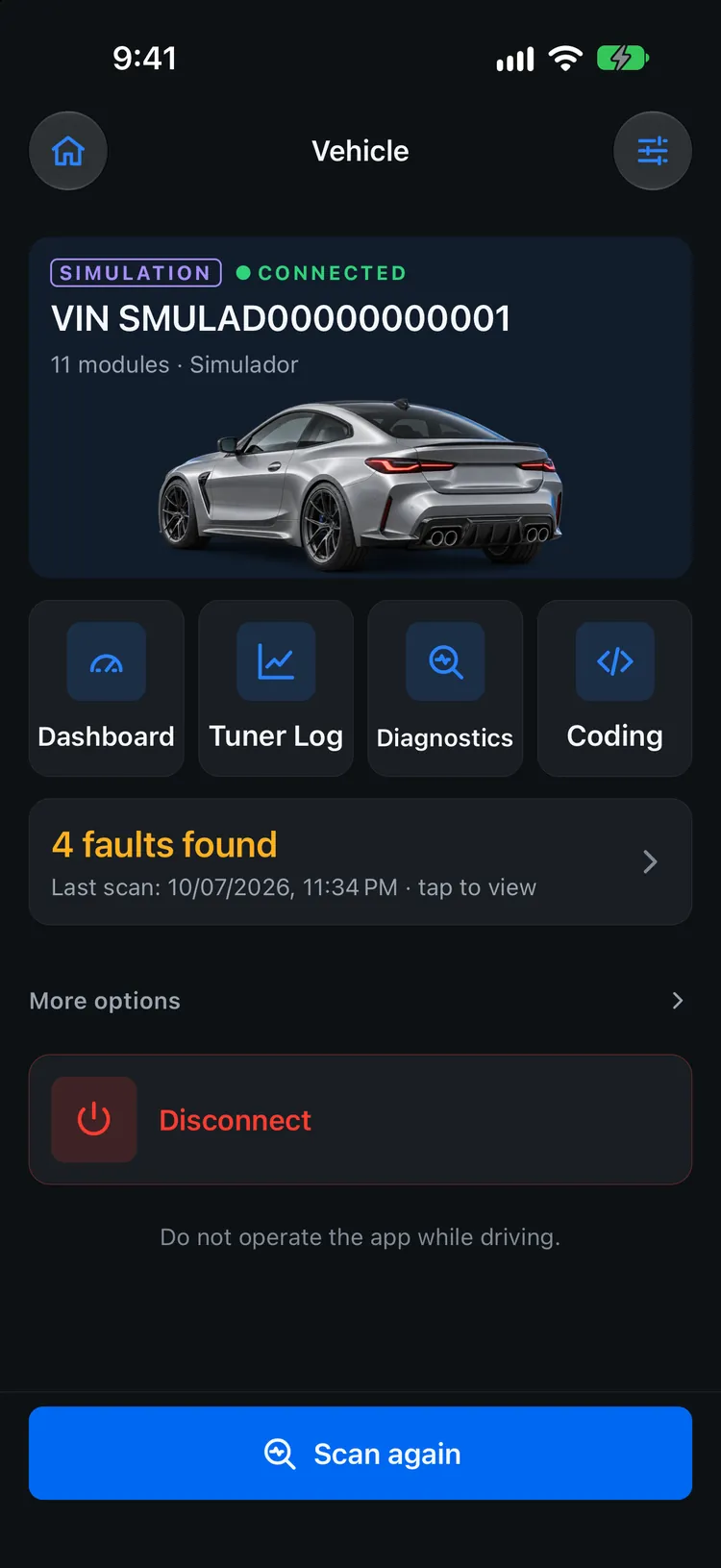
Your car, connected
VIN, modules found and shortcuts to the dashboard, Tuner Log, scanner and coding.
-
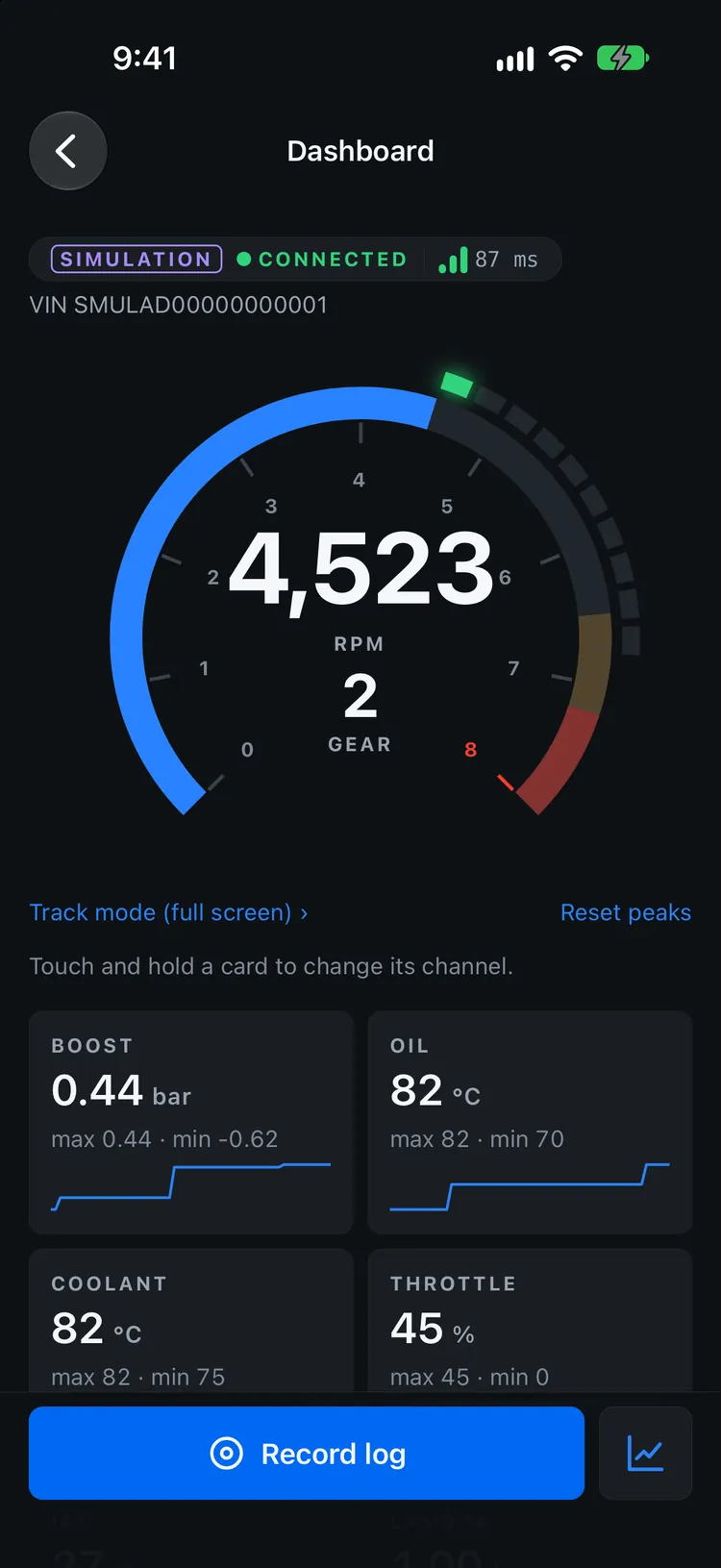
Live Dashboard
Big RPM gauge with gear and shift lights, plus cards you can swap to any channel.
-
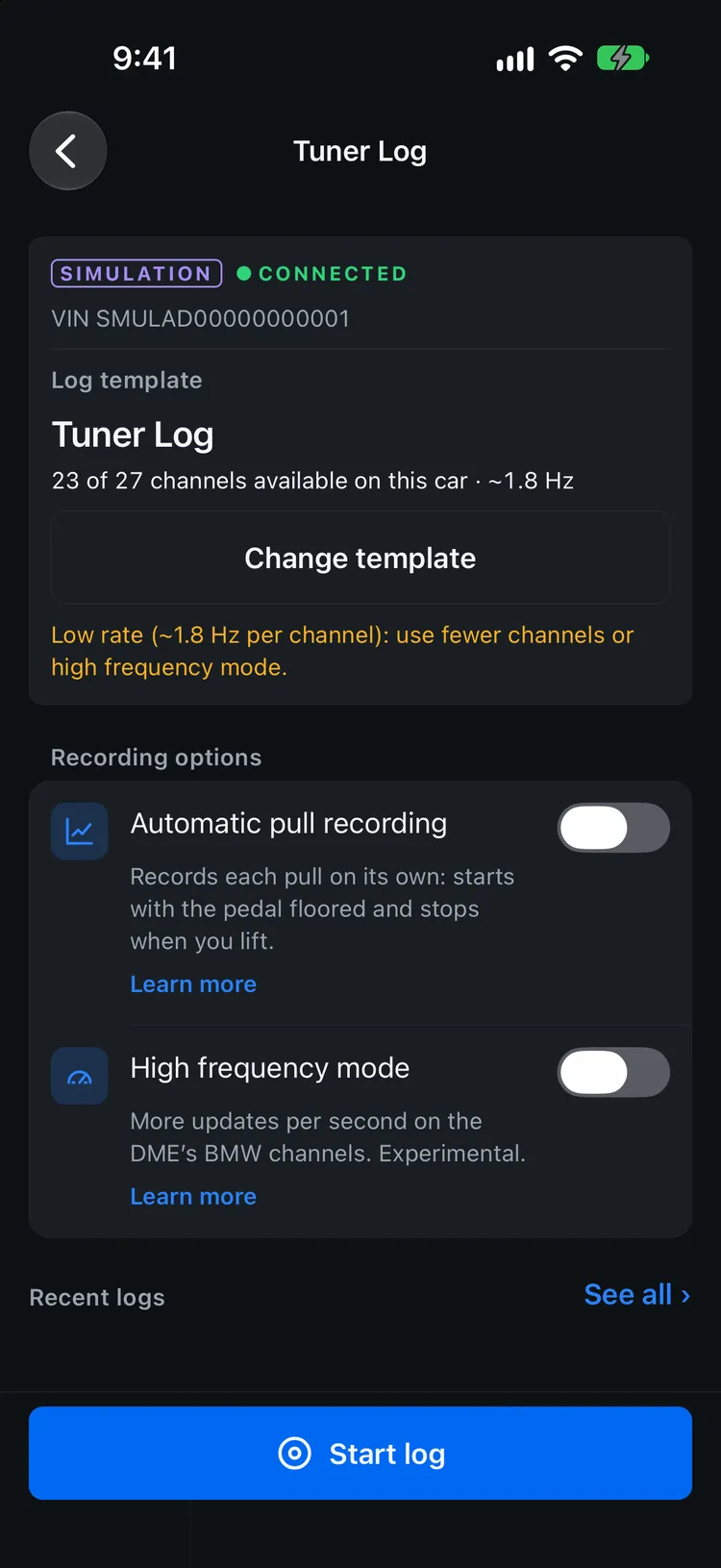
Tuner Log
Log templates, automatic pull recording and the optional High frequency mode.
-
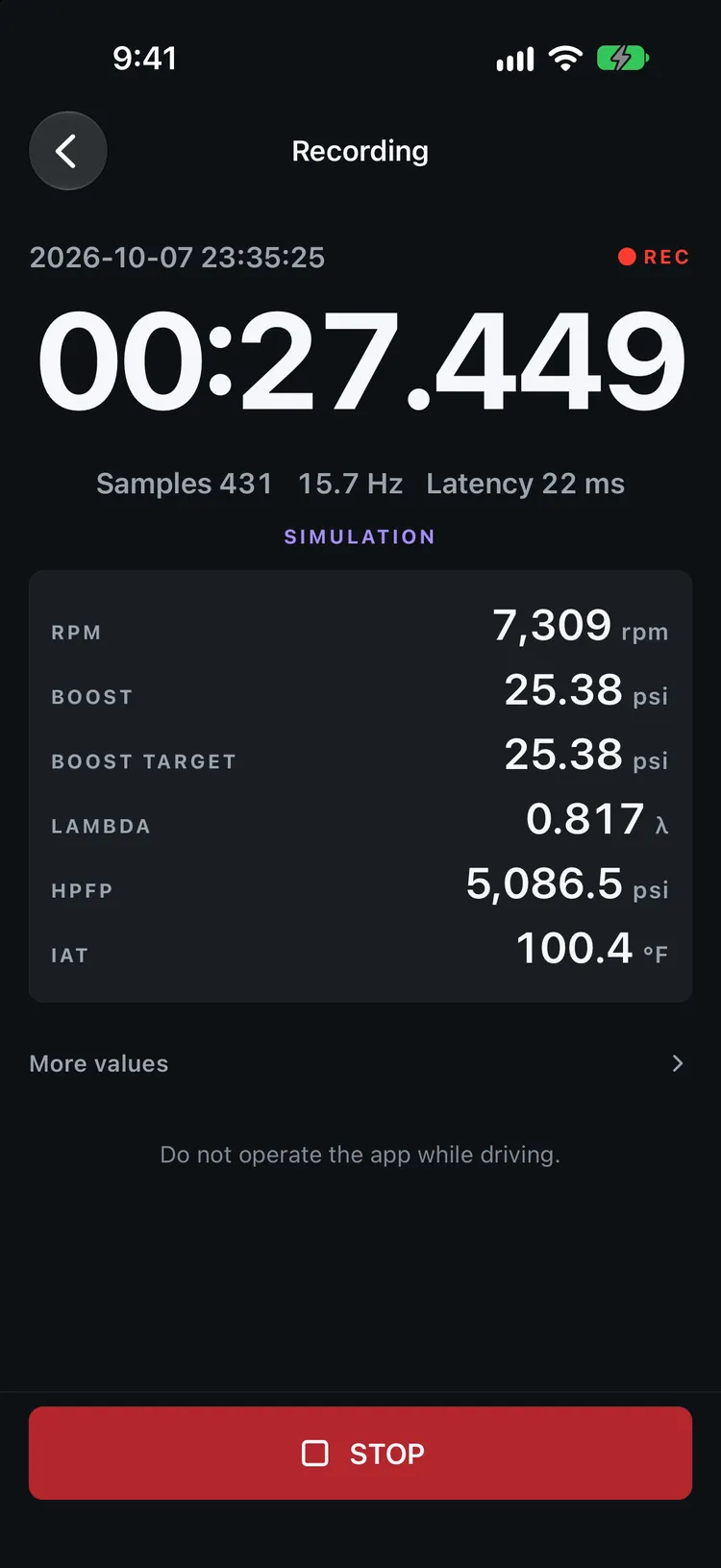
Recording
A big timer, the key channels and a Stop button that is always within reach.
-
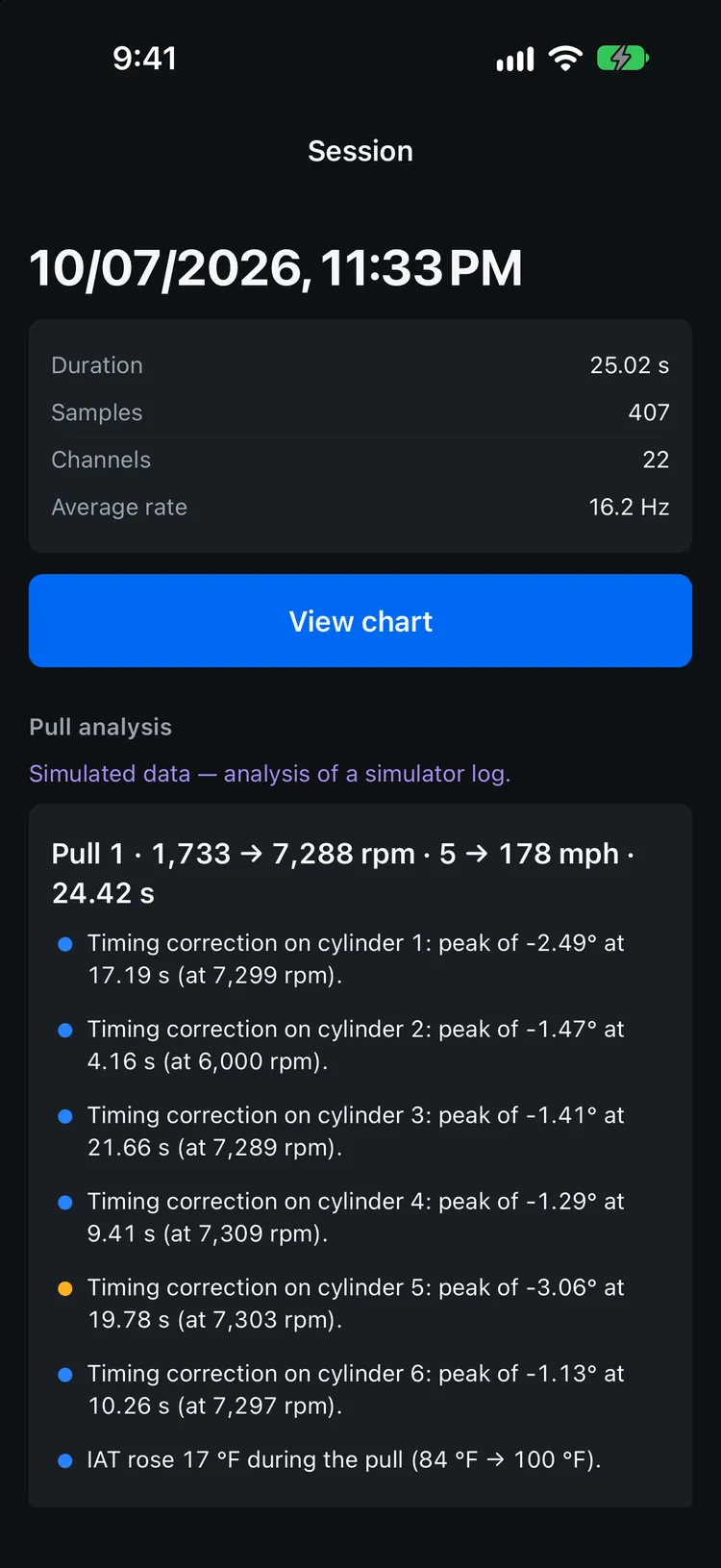
Pull analysis
Automatic observations for each pull: boost vs target, timing correction per cylinder and more.
-
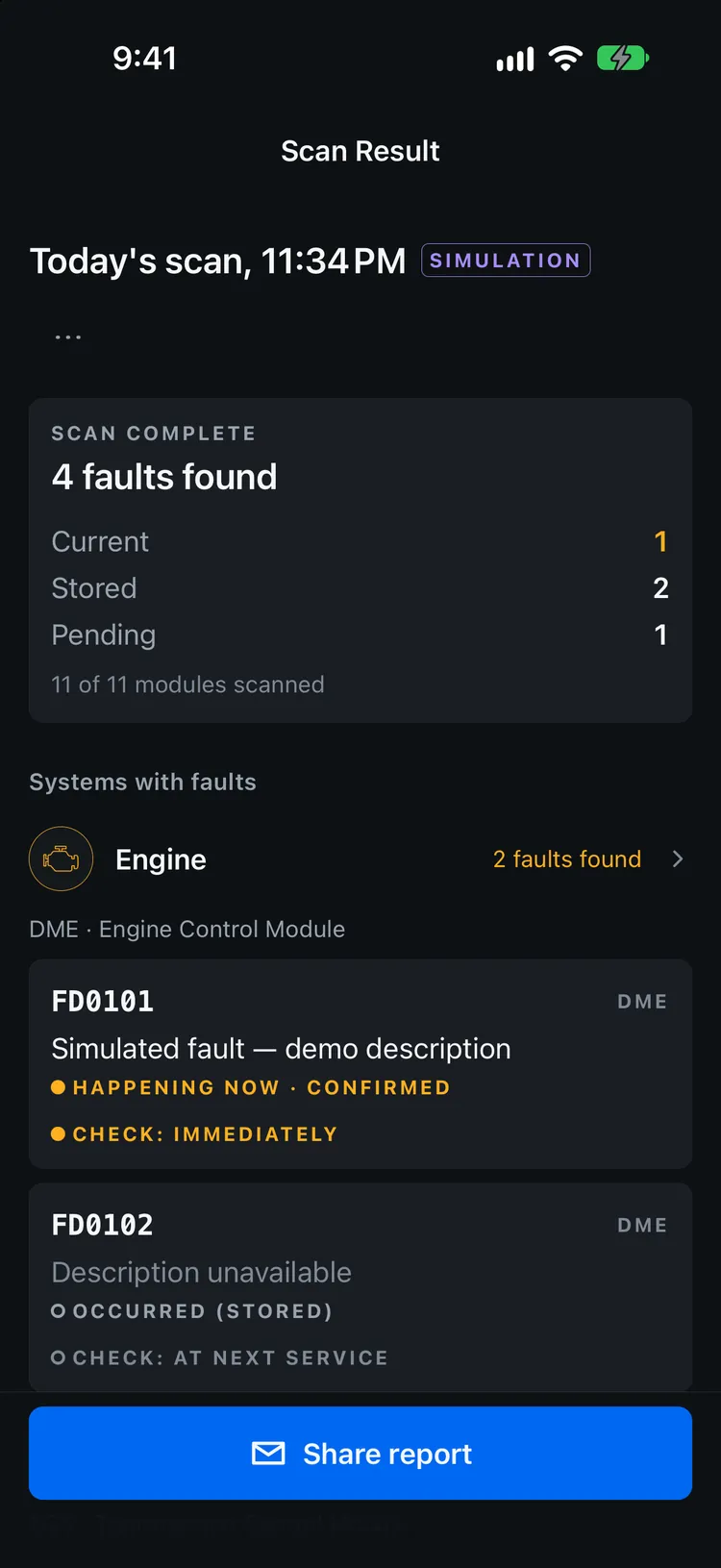
Full scan
Every control module, grouped by system, with current, stored and pending faults.
-
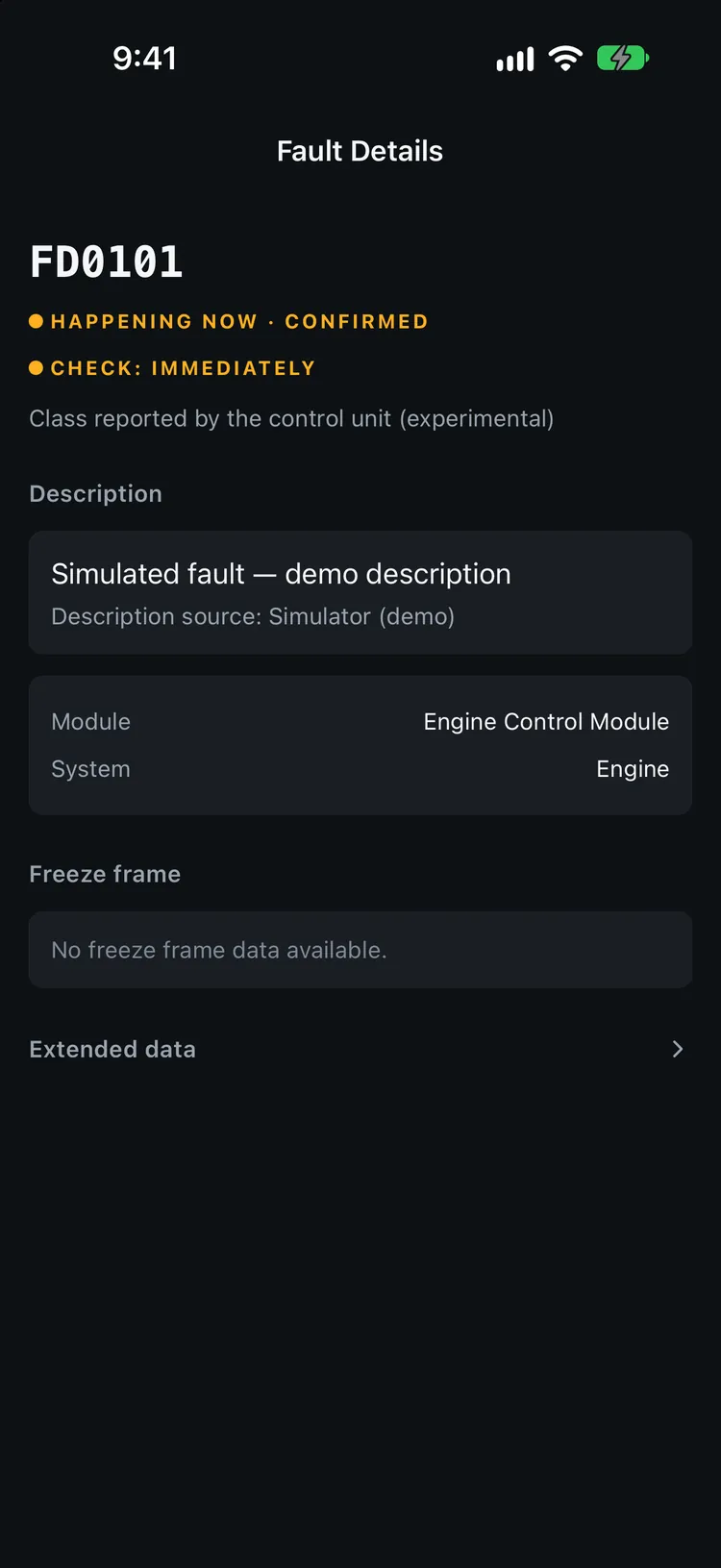
Fault details
Status, severity reported by the module, freeze frame and extended data.
-
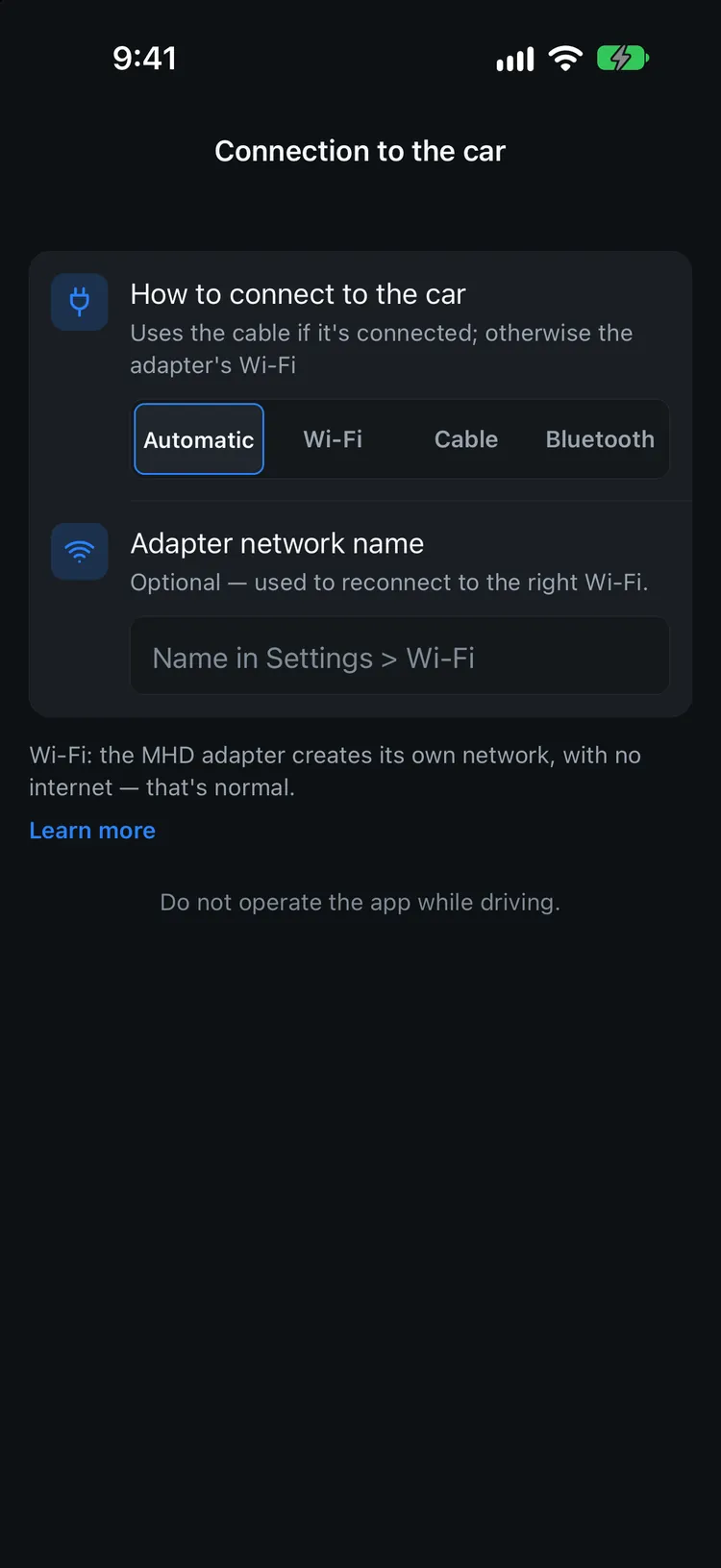
Wi-Fi, cable or Bluetooth
MHD Wi-Fi adapter, ENET cable (experimental) or a basic Bluetooth OBD-II adapter.
Screenshots of the app running in simulator mode — the cars, values and faults are simulated, not from a real car. The Coding screens are experimental.
Numbers you can read at a glance.
Garage OBD turns raw engine and transmission data into big, steady, legible readouts. No clutter, no decoration — just the values that matter, updating in real time.
- Engine and transmission channelsRPM, boost, temperatures, gear and more from the DME and TCU.
- Shift lights per engineA progressive light bar built from your engine profile (S58, S55, B58, N55, N20, B48) — adjustable per car.
- Honest valuesUnknown is shown as “—”, never as 0. Limits come from the channel definition, not from guesswork.
- Built for dark cabinsHigh contrast, minimal chrome, readable from a mount.
Record the channels your tuner actually needs.
Choose a log template, record a pull, review synchronized data and export the session in a tuner-friendly format.
-
01
Choose a template
Start from a ready-made channel set built for performance logging, then adjust the channels or save your own template.
-
02
Record a pull
Start logging by hand — or let automatic pull recording start and stop with the pedal. Only in a safe and legal place.
-
03
Review it
Every channel is aligned on the same timeline, so cause and effect line up.
-
04
Export
Universal CSV, MHD-style CSV or MegaLogViewer (.msl / .mlg) — ready for your tuner or your own tools.
Typical performance channels
- RPM
- Boost Actual
- Boost Target
- Lambda
- HPFP
- Timing
Besides standard OBD-II channels, the app asks each car’s modules which BMW-specific channels they answer — more than 70 answered on our test car (M4 G82). These channels are experimental, appear only when the car answers in the expected format, and are not yet confirmed on other models.
Sample pull · 3rd gear
Simulated dataInteractive sample chart. If it does not load, the values shown are simulated for illustration only.
Values are generated for demonstration and do not represent any real vehicle, calibration or tune.
Every pull, already read for you.
After each pull the app lists what stands out — observations to help you read the log, never a diagnosis. Thresholds are display thresholds you can edit, not engine limits.
- Automatic observationsLambda leaner than target, boost below target, timing correction per cylinder, WGDC at 99%+, rail pressure below target and rising intake temperature — only when those channels were logged.
- Automatic pull recordingStarts when the pedal passes 90% of its real travel (learned per car) and stops when you lift. Each pull becomes its own log.
- High frequency modeOptional and off by default: reads several BMW channels in one request. On our test car it went from about 1 to about 6 updates per second per channel. It never changes the map, coding or programming, and the temporary read list is erased when you disconnect.
- Import your old logsMHD, bootmod3 (CSV or HTML), JB4, BimmerLink and MegaLogViewer (.msl / .mlg) files. Imported logs stay separate from the ones the app records.
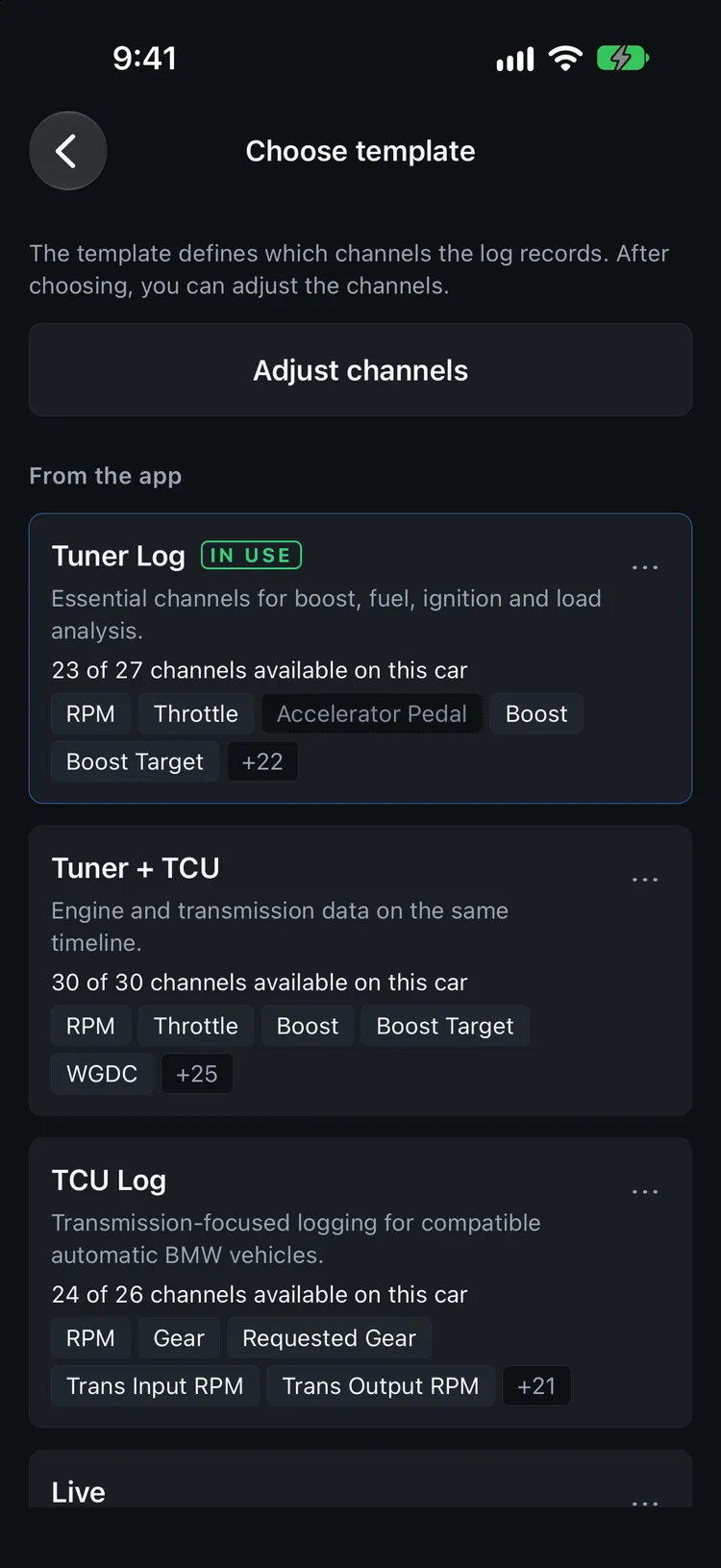
Engine and gearbox on one timeline.
On cars with an automatic gearbox, log the DME and the TCU together. See what the transmission was doing at the exact moment boost dropped, the gear changed or temperature climbed. With a manual gearbox the TCU simply isn’t there — the app tells you instead of showing empty values.
Engine
- RPM
- Boost
- Torque
Transmission
- Gear
- Input RPM
- Clutch Slip
- Trans Temp
Scan the whole car, not just the engine.
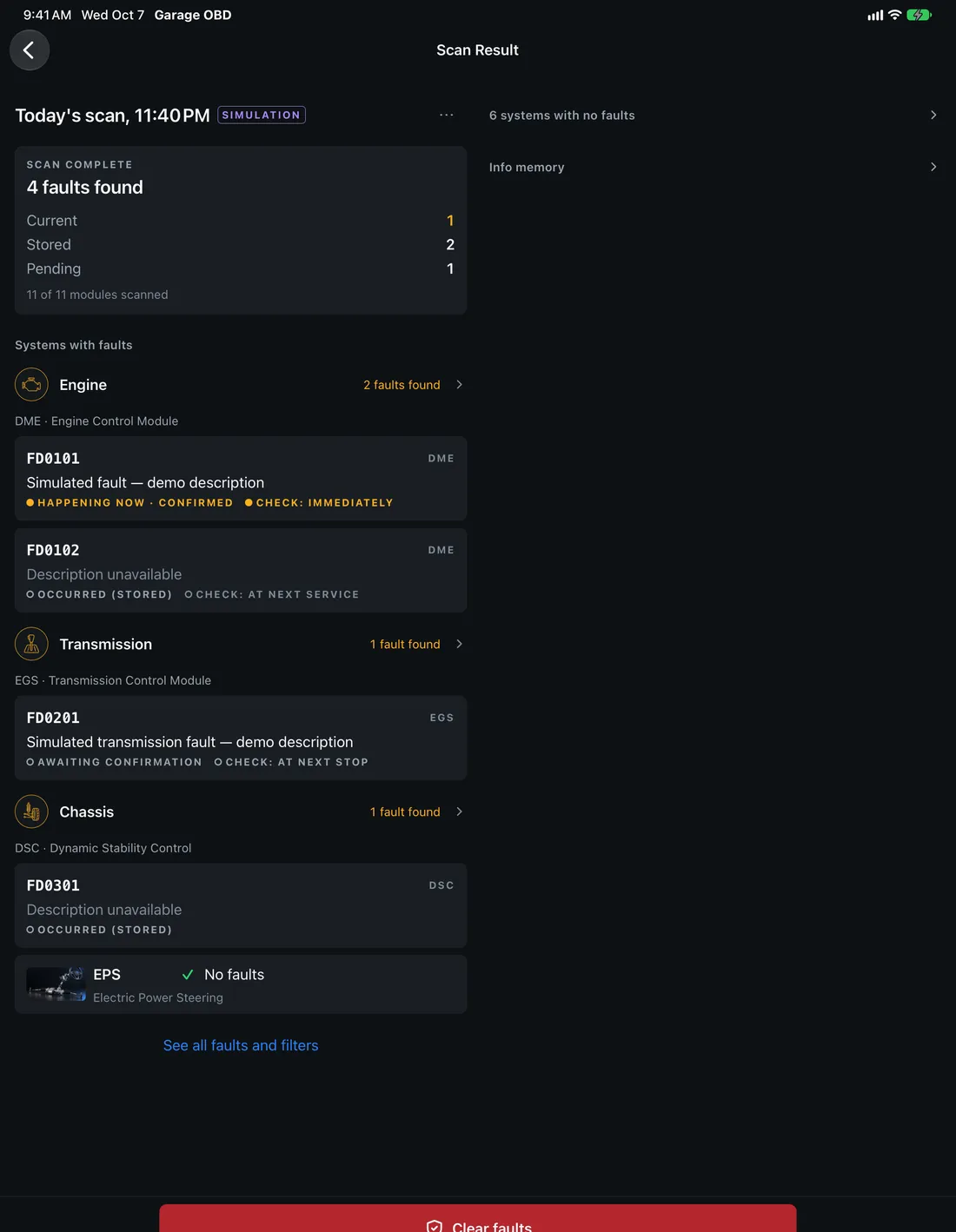
Garage OBD scans control modules across the vehicle and groups the results by system, so you can see at once where faults are stored and where everything is clean.
- Quick or full scanAbout 11 control modules on our test car — engine, transmission, chassis, body and safety systems.
- Compare scansGrouped by system with counts at a glance; compare today’s scan with an earlier one to see what is new or gone.
- Important vs informativeConfirmed, stored and pending faults come first. Entries the car logs during its own diagnostic session are kept apart, never hidden.
- BMW fault texts, translatedOriginal BMW descriptions with an automatic English, Portuguese or Spanish translation, clearly marked. Codes are shown exactly as the module returns them. Severity, freeze frame and info memory are experimental.
- Engine2
- Transmission0
- Chassis1
- Body0
- Safety0
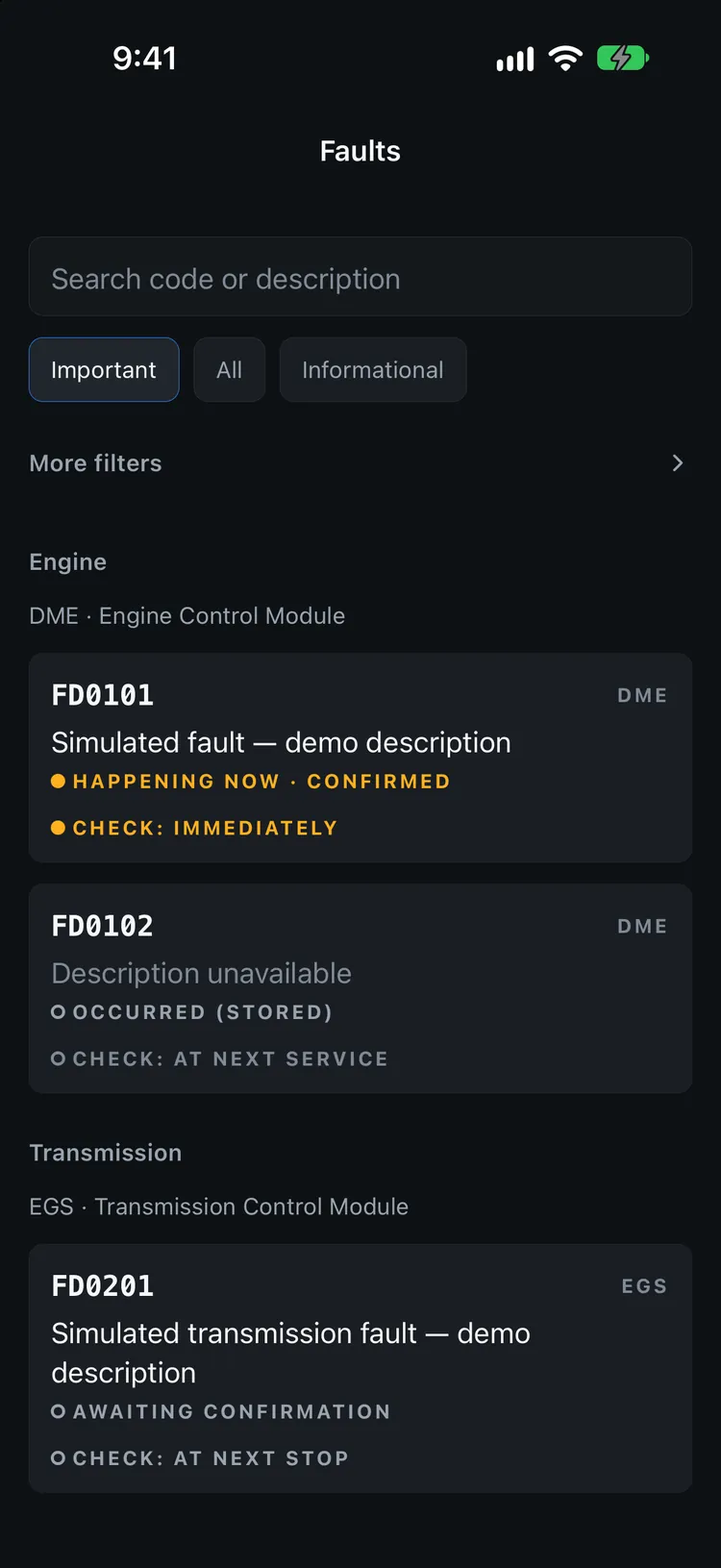
Every fault, in plain view.
Open any module to see its codes exactly as the module returns them, their descriptions, status and the severity the module reports. Turn a scan into a TXT, JSON, HTML or PDF report you can keep for your records or send to your shop.
- Scan reportsModules scanned and faults found, in one document.
- Share when you chooseReports leave your phone only when you share them.
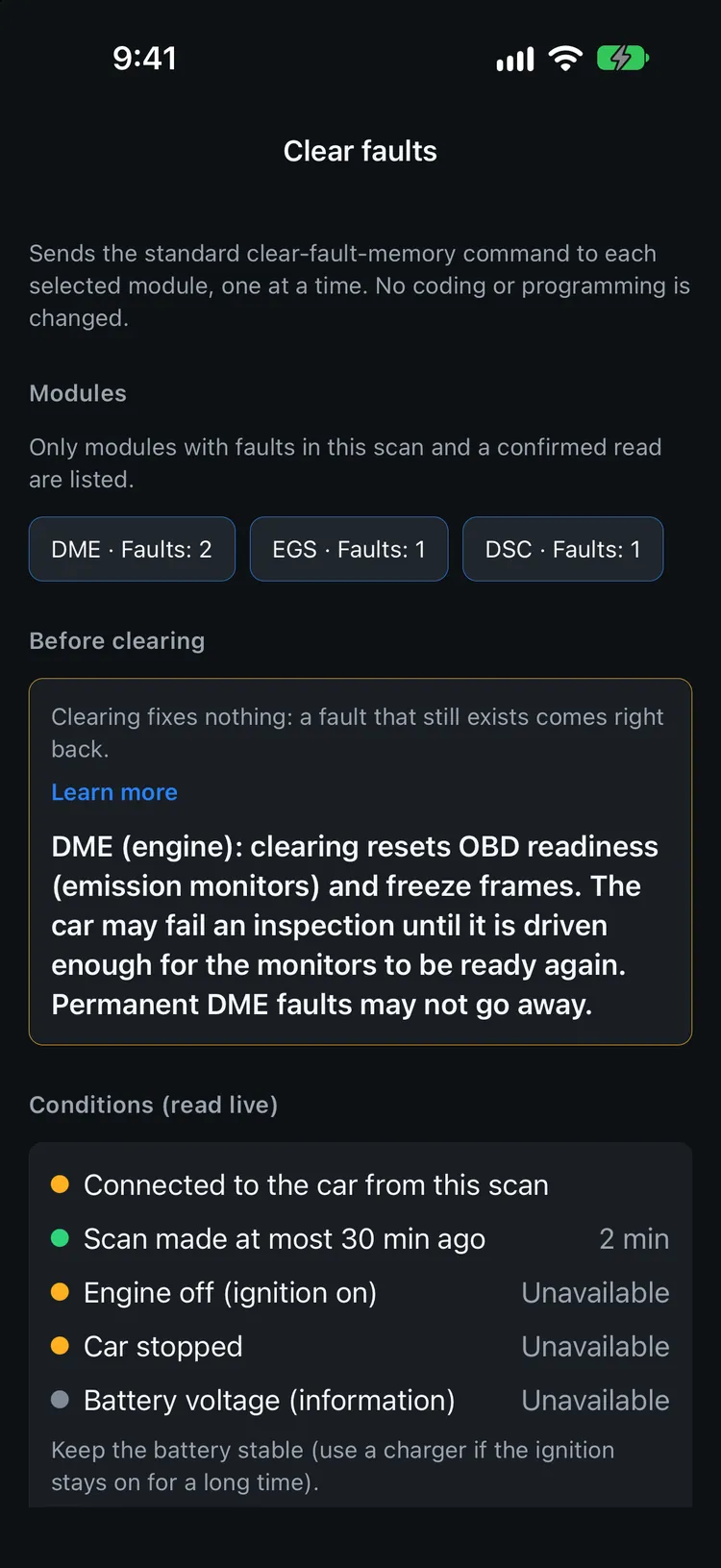
Clear faults — with guardrails, not guesswork.
Fixed the problem? Clear the fault memory of the modules from your last scan. The app sends only the standard clear-fault command here — it never codes, programs or tunes anything.
- Checked live before every clearSame car as the scan, scan less than 30 minutes old, engine off and vehicle stopped — read from the car at that moment.
- Hold to confirmOne module at a time, engine last, then an automatic re-read shows what came back.
- Every clear is recordedA local history of what was cleared, when and in which module.
- Clearing fixes nothingA fault that still exists comes right back. The app says so — and explains what clearing the engine module resets.
Coding, with a backup before every change.
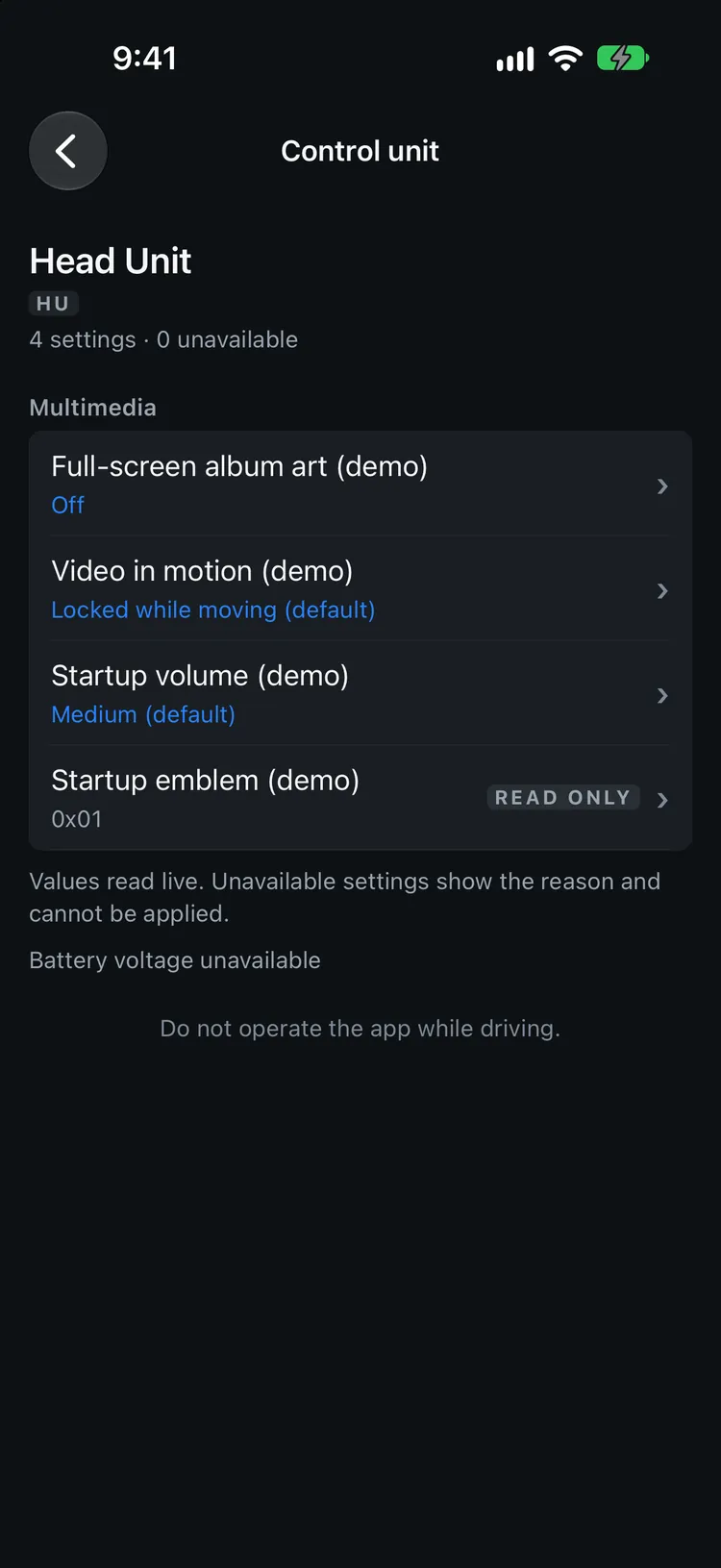
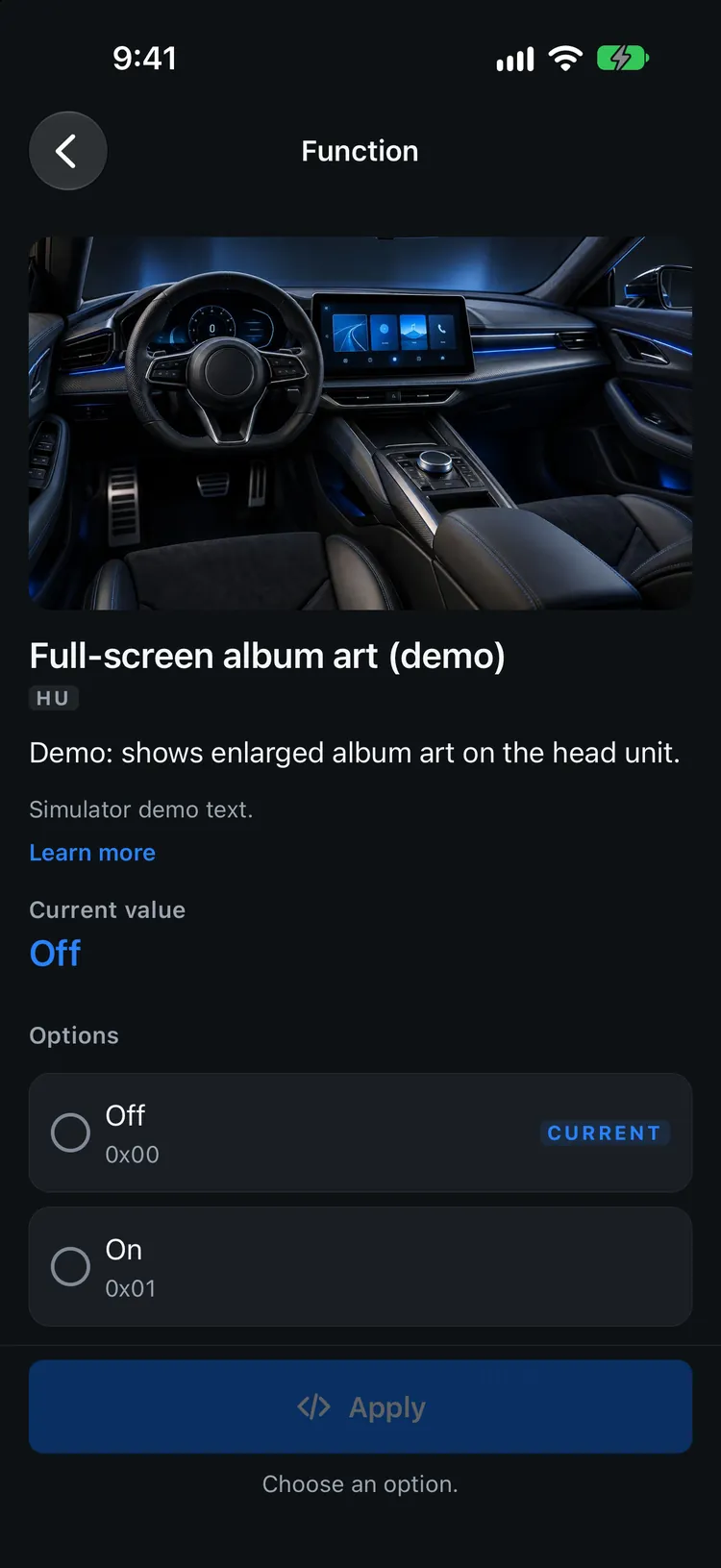
An opt-in feature for BMW F- and G-series cars. Browse the settings of the head unit, instrument cluster, climate and body control units, see each current value and change one with a safety net. It is experimental and has not been confirmed on a real car yet.
- Browse before you touchAbout 440 functions from public coding recipes, listed per control unit with the value read from your car. When a setting can’t be changed, the app tells you why.
- Automatic backup, restore originalThe app saves the module’s coding before any change and can restore it. Backups are kept per car and can be synced to your account.
- Checked live, hold to applySame car, engine off, car stopped and battery voltage checked at that moment, then you hold for 2 seconds. Riskier functions also ask you to confirm you understand the risk.
- Hard limitsOnly the head unit, cluster, climate and body units. Engine, transmission, brakes, airbags, steering and gateway are never offered; odometer and immobilizer functions are blocked. Units that require BMW’s signature (Secure Coding) are not written by the app.
Off by default. Turn it on in Settings › Advanced (developer mode). Not tested on your car: a module can lose its coding until a professional recodes it. Use it only on your own car, at your own risk. See the Terms.
Every car you own, every log you made.
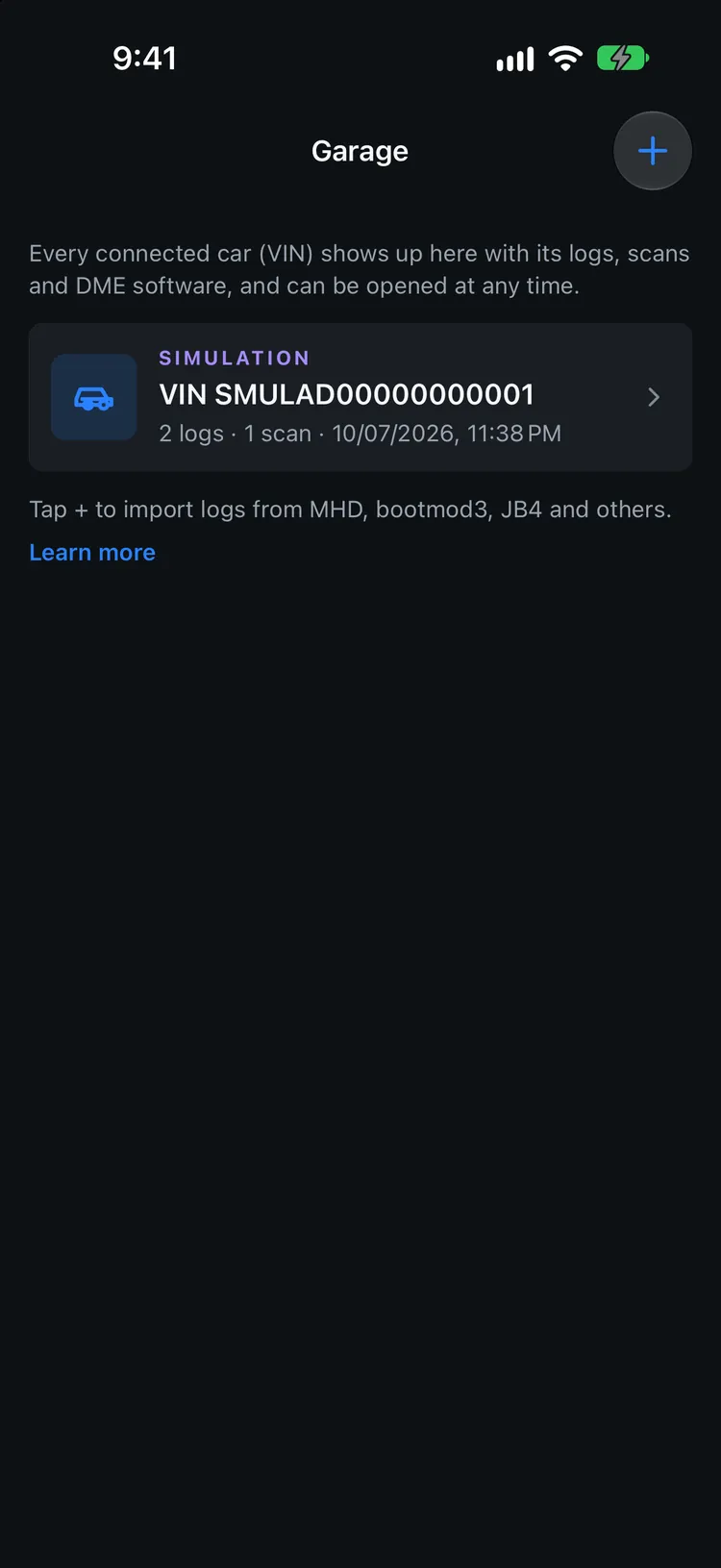
Each car you connect lands in your Garage automatically. Logs and scans are saved per car and open any time, even offline.
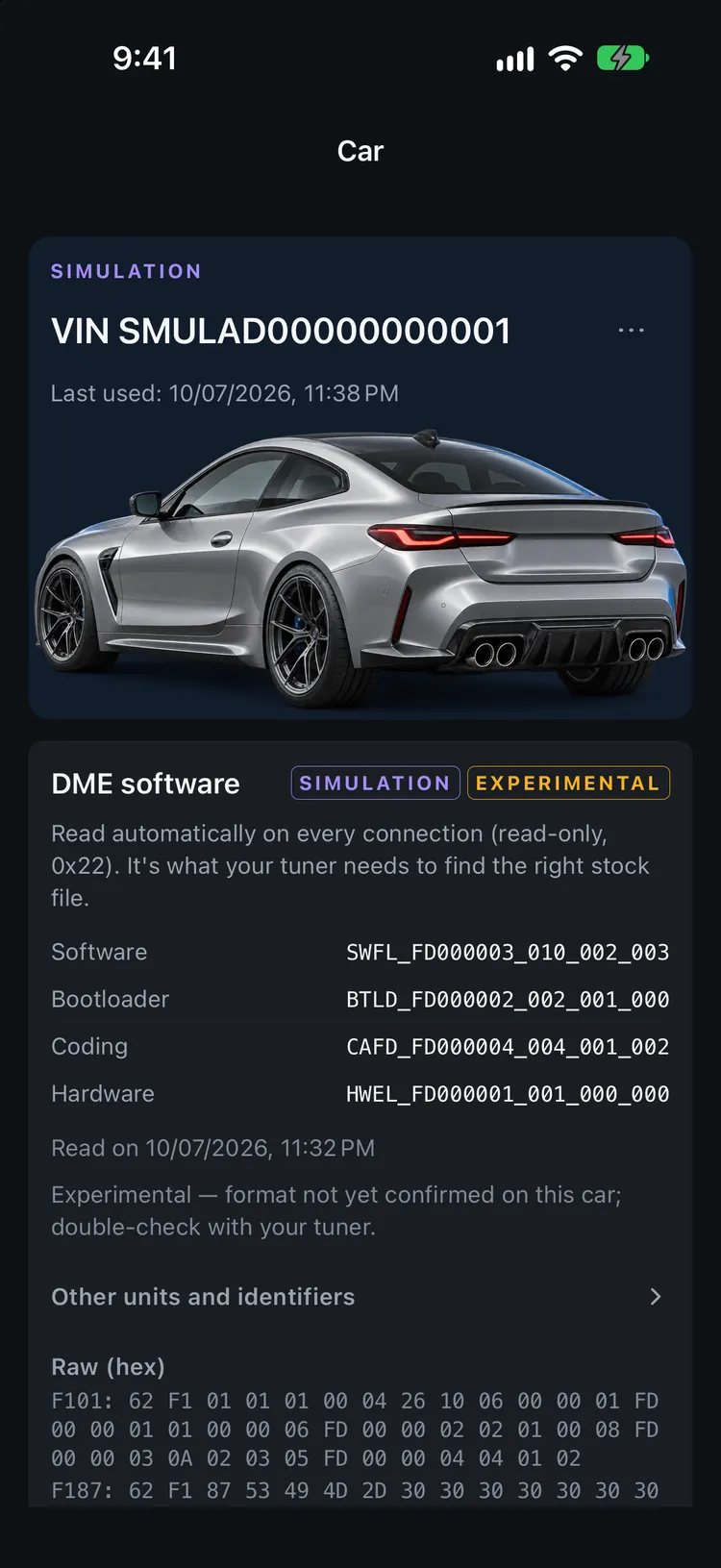
- GarageA nickname and photo per car, with its Tuner Logs, scans, coding history and engine profile.
- Engine software, read on connectThe app reads the engine module’s software identification (read-only) so your tuner can find the right stock file. Experimental: the format isn’t confirmed on every car — double-check with your tuner.
- Live systemsTire pressure and temperature, the speed of each wheel, battery and engine — plus the related faults from your last scan.
- iPhone and iPad, three languagesEnglish, Português and Español, following your device or your choice in Settings. Layouts adapt to the iPad in any orientation and in Split View.
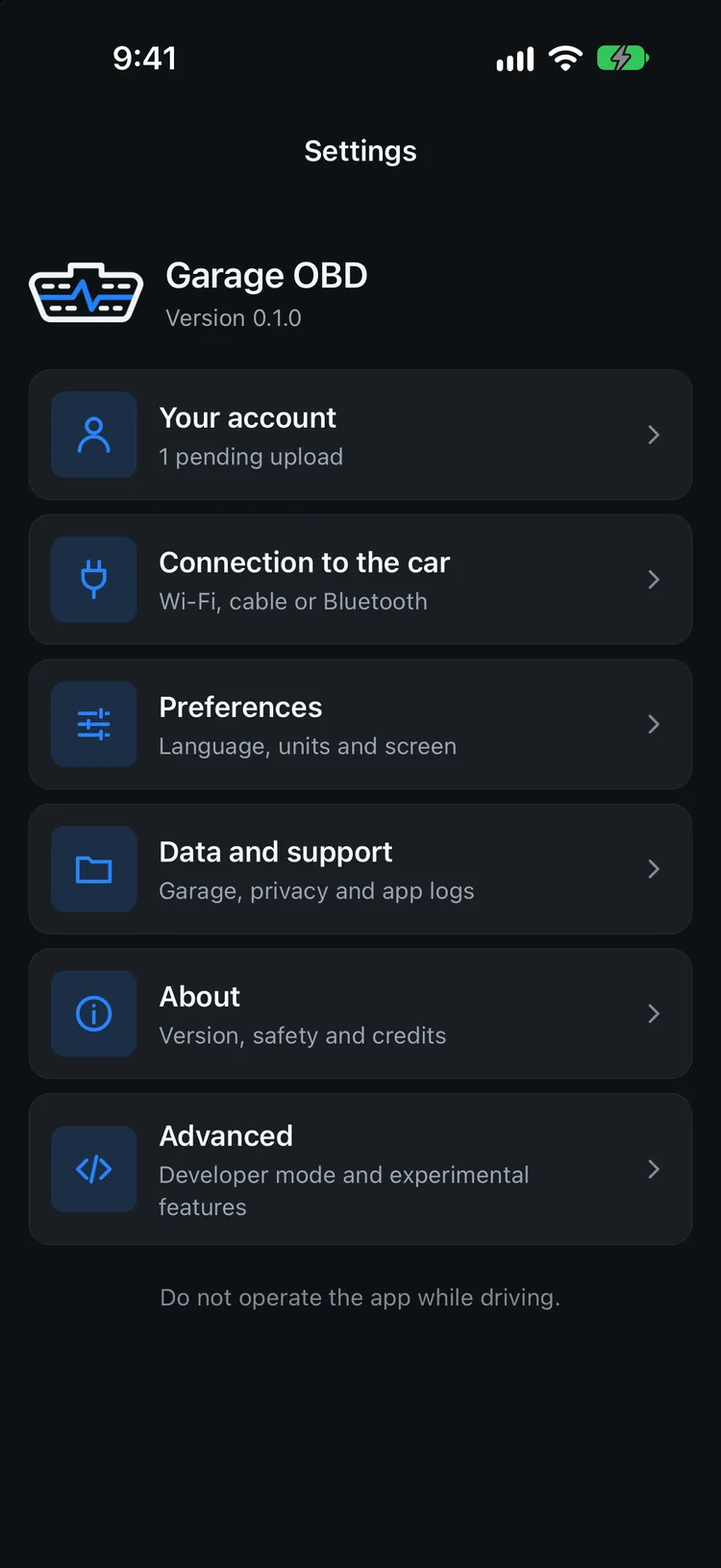
Your garage, on the web too.
Garage OBD needs an account. You only need internet to sign in — in the car the app works fully offline and syncs by itself when it can.
- Automatic syncReal logs, imported logs, scans, the engine software reading and coding backups and history. Simulator data is never uploaded.
- Web garage by carOpen each car’s logs with charts, its scans grouped by control unit, and its engine software.
- Log viewer in your browserOpen a log from MHD, bootmod3, JB4, BimmerLink or MegaLogViewer and compare two logs. The file is read only in your browser.
- Yours to take or deleteDownload everything as a ZIP, end sessions on other devices or delete your account and all synced data.
Your data, in a format everyone reads.
Export logs as plain CSV — one row per sample, one column per channel — in the app’s Universal or Extended format, an MHD-style layout or MegaLogViewer (.msl / .mlg). Diagnostic scans become TXT, JSON, HTML or PDF reports. Share through the iOS share sheet, save to Files or open in a spreadsheet.
| time_s | rpm | boost_psi | boost_target_psi | lambda | timing_deg |
|---|---|---|---|---|---|
| 0.00 | 2510 | 4.8 | 9.0 | 0.98 | 8.5 |
| 0.50 | 2880 | 12.6 | 17.5 | 0.88 | 6.0 |
| 1.00 | 3310 | 19.4 | 20.5 | 0.82 | 5.5 |
| 1.50 | 3790 | 21.2 | 21.0 | 0.81 | 6.0 |
| 2.00 | 4280 | 21.1 | 21.0 | 0.81 | 6.5 |
| 2.50 | 4760 | 20.8 | 20.5 | 0.80 | 7.0 |
Your car’s data is yours.
Garage OBD is built offline-first. Everything is saved on your iPhone or iPad and works without internet. When you are online and signed in, real logs and scans are synced to your account so you can see them on the web.
- Stored on device firstDatalogs, scans and reports are saved locally and open offline.
- Synced to your account onlyReal logs and scans (including the VIN), the engine software reading and coding backups. Not shared with other users, not sold, never simulator data.
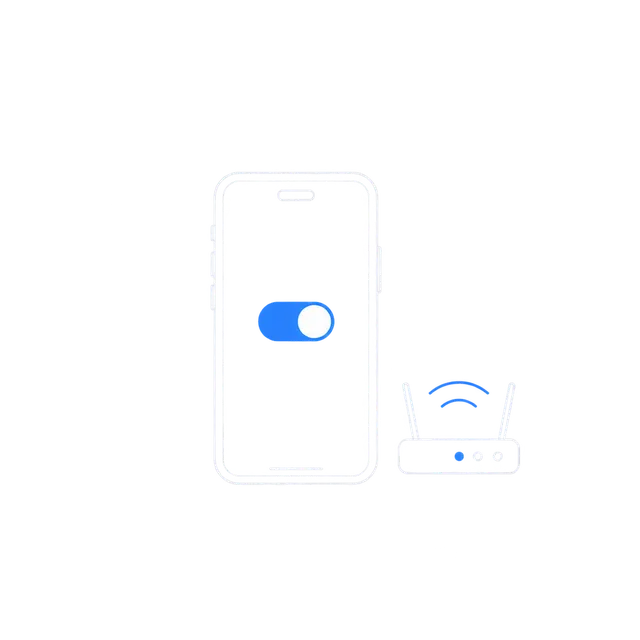
- Local network, for your adapteriOS asks for local network access so the app can talk to your Wi-Fi OBD adapter.
- You stay in controlExports go only where you send them, and you can download your data or delete your account at any time.
Plug in. Turn the key. Connect.
Garage OBD talks to your car through the MHD Wi-Fi adapter plugged into the diagnostic port — the connection we have tested. An ENET cable with a USB Ethernet adapter is built in but experimental and not yet tested in a car. A basic Bluetooth OBD-II (ELM327) adapter gives generic OBD-II data only.
-
 01
01
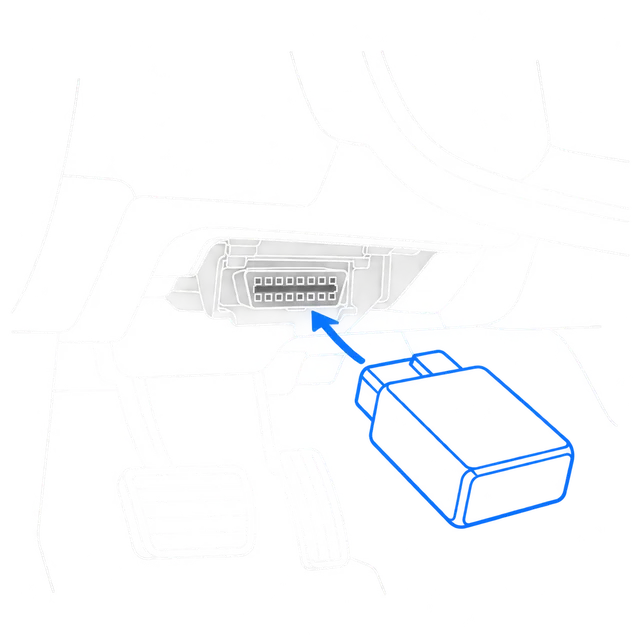
Plug in the adapter
The OBD-II port is usually under the dashboard on the driver’s side.
-
 02
02
Ignition on
Switch the ignition on so the vehicle’s modules can respond.
-
 03
03
Join the adapter’s Wi-Fi
Connect your iPhone to the adapter’s network, then open Garage OBD.
Tested on a BMW M4 (G82, S58) with the MHD Wi-Fi adapter. Other F- and G-series cars use the same code but have not been tested. Feature availability varies by vehicle, engine, transmission, ECU software and diagnostic interface. See compatibility details.
Questions, answered.
Can’t find what you need? Visit Support.
Which cars does Garage OBD work with?
Garage OBD is built for BMW vehicles. So far it has been tested on a BMW M4 (G82, S58) with the MHD Wi-Fi adapter. F8x (S55) and F3x (N20, N55, B48, B58) cars use the same connection and code but have not been tested yet. Feature availability varies by vehicle, engine, transmission, ECU software and diagnostic interface. See Compatibility for details.
What hardware do I need?
An iPhone or iPad and the MHD Wi-Fi adapter connected to your car’s diagnostic port. An ENET cable with a USB Ethernet adapter is supported experimentally (not yet tested in a car). A basic Bluetooth OBD-II (ELM327 BLE) adapter also works for generic OBD-II data only — no full scan, BMW-specific channels or coding. Adapters differ in speed and protocol support, which can affect what data is available.
Do I need an account? Does it work offline?
Yes, an account is required, and you need internet only to sign in. In the car the app works offline and syncs your real logs, scans and other data to your account when it is online. Simulator data is never uploaded. See the Privacy Policy.
Can I send logs to my tuner?
Yes. Tuner logs export as CSV (Universal, Extended or MHD-style) or MegaLogViewer (.msl / .mlg) and can be shared through the iOS share sheet — Mail, Messages, AirDrop, Files and other apps you have installed. The web dashboard also opens and compares log files in your browser.
Can Garage OBD change my car’s software or tune?
It never flashes, programs or tunes anything. By default the app only reads data and fault memory. The exceptions are the standard clear-fault command (after safety checks and your confirmation), a temporary read list in the engine module’s memory if you turn on High frequency mode (erased when you disconnect), and the experimental coding feature described below, which is off by default.
Can I code my BMW with it?
There is an experimental coding feature for F- and G-series head unit, cluster, climate and body control units. It is off by default (Settings › Advanced, developer mode), has not been confirmed on a real car yet, backs up the module before every change and offers a restore. It does not write control units that require BMW’s signature (Secure Coding), and it never touches the engine, transmission, brakes, airbags or steering. Coding can leave a module uncoded until a professional recodes it — use it at your own risk.
Can I clear fault codes?
Yes, for the modules in your latest scan. The app first checks, live, that it is the same car, the scan is recent, the engine is off and the car is stopped, then asks you to hold to confirm. It re-reads the faults afterwards. Clearing does not repair anything: a fault that still exists comes back.
Can I import logs from other apps?
Yes — MHD, bootmod3 (CSV or HTML), JB4, BimmerLink and MegaLogViewer (.msl / .mlg) logs, plus logs exported by Garage OBD itself. Columns that can’t be mapped safely are kept with their original name and unit.
Which languages and devices are supported?
English, Portuguese (Brazil) and Spanish, following your device language by default. The app runs on iPhone and iPad.
Is the dashboard on this website real data?
No. The animated gauges and charts are simulated demonstrations, and the app screenshots were taken in the app’s simulator mode. In the app, values come from your vehicle and adapter.
Can I use the app while driving?
Always keep your attention on the road and obey local laws. Mount your phone securely, set up logging before you drive and never interact with the app while the vehicle is moving. Performance runs belong on closed courses.
Is Garage OBD affiliated with BMW or MHD?
No. Garage OBD is an independent product and is not affiliated with, sponsored by or endorsed by BMW AG or MHD. “Compatible with the MHD Wi-Fi adapter” is a technical statement only.

Your car is already talking. Start listening.
Live telemetry, tuner logs with pull analysis, full diagnostics and a web garage — on your iPhone and iPad.